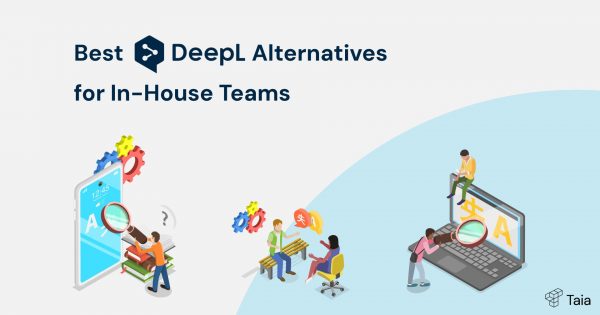
DeepL is great for quick one-off translations — paste, translate, edit a bit, move on.
But your goal isn’t to move on. It’s to find ways to reach people — in their language, with the same persuasion and clarity you have at home. And that’s not all.
When you manage translations in-house, the hard part isn’t so much getting the sentences translated as everything around it: data privacy, who approves what, is the terminology going to be consistent, will we launch the campaign on time, do we really have to manually copy-paste each paragraph, etc. You need good, affordable translation solutions for in-house teams, not just another text box.
That’s where DeepL starts to feel small. For enterprise as well as general in-house teams, you usually need:
- Roles and permissions – so an editor doesn’t accidentally delete projects
- Translation memory and glossaries – to keep brand terms consistent across markets
- A real CAT editor – tweak translations in context before they hit the final document
- Secure translation software – something your IT team can actually approve
- Instant AI document translation – speed without breaking your formatting
- A translation API alternative – plugs into your stack when engineering is involved
(Never heard of a CAT editor or translation memory? We got you covered.)
This guide rounds up the 7 best DeepL alternatives for enterprise and in-house teams — tools built for ongoing work, not one-time copy. You’ll see options for dev-first pipelines, privacy-first deployments, and the best translation software for business teams that want results.
1. Taia Translations – Best overall for enterprise & in-house
If you handle translations at work, you’ve probably been choosing between fast AI (but low quality) and good human translations (but they take time and money).
Taia lets you have both in one platform.
Upload a file → get instant AI translation → download it, or → fix it up in the Taia CAT editor → done. You get content that works for your audience – landing pages, apps, documentation – delivered faster while keeping your brand consistent.
Why business teams are choosing Taia
Team organization that makes sense
Set up different teams (Marketing, Product, Support) with their own projects. Control who can access what so projects stay organized and secure. Lower the chances of “oops, I just deleted it” situations.
Centralized project management
Everything lives in one place instead of scattered across folders and tools. Track project status by team without hunting through different systems.
Stay consistent with your brand with Taia’s Translation Memory, glossary support, and a built-in CAT editor
Keep terminology consistent, reuse translations you’ve already done in the past, and tweak translations in context before they hit the final document. The best of translation, packaged in an affordable and user-friendly platform.
Learn why translation memory saves you money
Instant AI translation, human when you need it
Get your files AI-translated in seconds, or add human review for high-stakes content, either in-house (using the CAT editor) or outsourced (get a one-click quote and Taia’s PMs will take over) — all without switching tools or services!
Transparent & affordable pricing
Get clear pricing upfront before you commit to anything. No surprise costs.
Taia offers three subscription plans for:
- Free forever: $0 for 5,000 words monthly, 50 languages, and 15 file formats
- Basic: $10 for 20,000 words per month
- Pro: $45 for 100,000 words monthly, 189+ languages, 65+ file formats, Translation Memory, glossary support, and a built-in CAT editor
You can add unlimited users in the Pro plan.
On top of the attractive subscription plans that allow for a completely independent use of the tool, you can also outsource any of your projects to the Taia translation team. With a click of a button, the tool will calculate your quote instantly. Once you confirm it, all you have to do is sit back and relax (or work on your other 37 urgent tasks) as Taia’s project managers take over.
Security and compliance handled
GDPR compliant with encrypted data, secure hosting, and background-checked translators. Role-based access keeps sensitive content protected. Read more on Taia’s security
API integration available
A practical translation API alternative for automating uploads, status checks, and hand-offs.
Trade-off to consider
Taia is a document-first translation tool, which means it might not be the perfect fit for dev teams wanting a highly customizable integration system. That said, the Taia team has a history of creating tailored, custom solutions on-demand for more technical or software-centric clients. One example is LightBurn, who successfully localized their laser-cutting software into 27 languages with Taia.
Bottom line
If your goal is to reach people in new markets and keep localization ops tidy behind the scenes, Taia is the best all-rounder to start with. With its wide language and file support, instant AI translation and human overview under one roof, it offers a user-friendly but professional solution without enterprise complexity.
Try Taia for free – get up to 5,000 words/month AI-translated for free, or book a short call to see how it fits into your team’s workflow.
2. Smartling: The enterprise powerhouse
If your team runs localization like a product — releases, approvals, audits — Smartling is a heavyweight DeepL alternative for advanced teams. It’s built for scale: a cloud TMS as the central hub, automated workflows end to end, and optional pro services when you need people in the loop. In short, a translation solution for in-house teams that live in dashboards, not spreadsheets.
Centralized enterprise hub
Authors, PMs, reviewers and translators work in one place with audit trails, notifications and shared linguistic assets — designed for ongoing multilingual projects, not ad-hoc jobs.
Roles and approvals you can tune
Granular roles (Account Owner, Project Manager, Requester, Content Viewer, and more) with configurable permissions let you mirror how your org ships content — who can create jobs, authorize work, or just view.
Big ecosystem and API
Pre-built connectors cover WordPress/Drupal, Figma and GitHub, plus an API/CLI/SDK for custom automation — useful when engineering is in the loop.
Pricing & buying notes
Smartling doesn’t publish full platform pricing — you’ll need to talk to sales. Third-party trackers list an Essential tier starting around $500 (treat as indicative; confirm with Smartling). Per-word service rates shown on Smartling’s plans page include MT from $0.0075/word, AI translation from $0.06/word, and human translation from $0.20/word. Again, these are starting rates and the overall package is typically custom.
Check Smartling’s current pricing
What to watch out for
Powerful often means complex. Public reviews split between “intuitive” and “hard to navigate” — plan onboarding so non-specialists can adopt it.
3. memoQ: The classic CAT tool with enterprise muscle
memoQ has been around the block – it started as a traditional Computer-Assisted Translation (CAT) tool and grew into a full enterprise Translation Management System. It’s built for serious translators and language service providers who need deep, powerful features.
The platform’s main strengths are translation memory, terminology management, and quality assurance tools, making work easier with advanced linguistic features.
What memoQ offers teams
Strong terminology management
Translation Memory is memoQ’s strong suit. You can pair it with QTerm — a terminology management module — to define required terms, block unwanted ones, and keep phrasing consistent across markets.
Full project oversight
PMs get alerts, task assignment tools, and visibility across active projects. This makes it easier to stay on top of deadlines without needing yet another spreadsheet.
Flexible deployment options
Choose between cloud service, private cloud, or on-premise installation. The on-premise option lets you keep everything behind your own firewall.
Real-time team collaboration
When connected to a memoQ server (cloud or on-premise), teams can work on projects simultaneously. Get real-time progress tracking, automatic deadline notifications, and project dashboards that flag potential delays.
Professional-grade features
Built for linguists who need advanced CAT functionality. Deep translation memory features, quality assurance tools, and support for complex multilingual projects.
Security and compliance
ISO 27001 and ISO 9001:2015 certified, plus GDPR compliant. The flexible deployment model means you can choose the security level that fits your requirements.
Pricing structure
Individual plans:
- Starter monthly: $242/month for only 1 PM license and 5 linguists
- Essential: $2,750/year for 1-5 PM licenses and 10 linguists
- Essential Plus: $13,200/year for 6-10 PM licenses and 10 linguists
Enterprise plans: Custom pricing through sales consultation. Options include Professional, Professional Plus, and Custom tiers based on your needs.
What to keep in mind
Legacy design requires extra diligence. Some features — like a “public memory” option — may not match today’s enterprise security expectations. Even if it’s optional, you’ll want to review internal policies and probably opt for a private or on-prem setup if confidentiality is key.
UX is linguist-focused, not business-focused. Non-specialist users might need more onboarding time.
Want a simpler and more budget-friendly tool? Try Taia
4. Crowdin - Built for software teams (keep clear if you’re not a dev)
Crowdin was designed specifically for software development teams who need to build localization into their development workflow. If your team ships apps, websites, or games regularly, and ships them fast, Crowdin’s automation and developer integrations might be worth exploring.
The platform connects your translatable content directly with translators and automates much of the localization pipeline. Think continuous integration, but for translations.
What Crowdin does well
It integrates with your whole stack (probably)
Over 650 integrations with the tools your development team already uses. Syncs directly with GitHub, GitLab, Azure Repos, plus design tools like Figma and Sketch. New translations can automatically come back as pull requests.
Strong team collaboration features
Set up different user roles (manager, translator, proofreader) with access to specific languages. Assign tasks with deadlines, use private messaging, and track everything with detailed reporting.
Automation-first approach
Built around the idea that localization should happen automatically as part of your development process. Good for teams that want continuous localization without manual handoffs.
Quality assurance tools
Online editor, QA checks, glossaries, and the ability to add screenshots for context. Supports both online and offline translation workflows.
Developer-friendly features
Robust API and command-line interface for custom automation. If your engineering team wants to build localization into their deployment pipeline, Crowdin has the technical depth to support it.
Pricing structure
Subscription-based with scaling costs:
- Plans range from €52 to €398 monthly, with custom enterprise option
- Pricing based on user seats and number of translatable strings
- Scales with project size and complexity
Crowdin’s pricing model works well for software projects where you can predict growth in features and languages.
Check Crowdin’s current pricing
The usability trade-off
UX is not beginner-friendly
While developers love Crowdin’s integrations and automation, non-technical users often find the interface difficult to navigate. Multiple reviews mention UX issues and complexity that can be challenging for marketing, support, or other teams who aren’t developers.
5. Pairaphrase: A workflow-centric solution with security at its core
Pairaphrase positions itself as an easy-to-use, secure translation solution for in-house teams. It’s the most similar to Taia Translations, emphasizing its ease of use and enterprise-grade security as a core selling point. However, its Translation Memory promise allegedly fails to deliver — more on that below.
It supports over 140 languages and 25 file types, including scanned PDFs and OCR-processed documents, and it can connect to multiple machine translation engines, like DeepL and ChatGPT.
Simple workflow for document translation
Pairaphrase includes basic team collaboration features like real-time interaction, batch file upload, and automatic file format matching. Translation Memory (TM) is also included by default, with the goal of speeding up repetitive content and keeping phrasing consistent. It supports human-in-the-loop flows as well, including Machine Translation Post-Editing (MTPE) — a common workflow for in-house teams.
Security is a strong point…
Security is where Pairaphrase puts a lot of its weight. It’s cloud-only — no on-prem or private cloud — but it checks most compliance boxes: MFA, SSO, GDPR, HIPAA, FERPA, and strict policies around data access and third-party sharing. For industries like healthcare, education, or the public sector, that can be a strong reassurance.
… but the TM doesn’t live up to the pitch
One big concern shows up in user feedback — and it’s about the platform’s core promise. While Pairaphrase highlights its Translation Memory as a major time-saver, at least one user review claims the feature “almost never actually works.” The TM allegedly fails to match segments unless they’re identical — even minor changes in formatting, like bold or italics, can break the match. Word pairings only apply if the full sentence is the same, which means the TM is basically useless for anything that’s not a copy-paste repeat.
That’s a red flag for any localization manager. If reuse is a major part of your workflow, you’ll want to test this thoroughly during a free trial. Otherwise, you might end up doing more manual work than you planned — which defeats the point of using a TMS in the first place.
💡 Did you know? Taia’s Translation Memory recognizes parts of non-identical segments and changes them automatically throughout the text.
Pairaphrase is built for simplicity
Pairaphrase removes much of the friction that non-linguists often face in complex tools. The interface is clean, and the process of uploading, translating, and reviewing is built around documents, not strings. That makes it a better fit for teams working on internal policies, business presentations, legal docs, and similar content types.
Pricing structure: straightforward but steep
Pairaphrase’s pricing structure is based on a clear tiered subscription model that scales by team size and word volume:
- Bronze – $285/month for 1–2 users, up to 600,000 words
- Silver – $499/month for up to 5 users, 12 million words
- Gold – $835/month for up to 10 users, 25 million words
- Custom – available for larger teams, with per-user pricing starting around $15/month
Check Pairaphrase’s current pricing
What to watch out for
Pairaphrase’s pricing is steep compared to other in-house solutions, and it scales up quickly if you add more users. While the platform promises time savings through its Translation Memory, user feedback suggests that this feature doesn’t always deliver — especially when even small formatting changes prevent matches. That means you may end up re-translating content you expected to reuse, which undermines the efficiency pitch.
6. SYSTRAN: Security-first, built for sensitive industries
If your IT team tends to veto every cloud app you suggest, SYSTRAN is the kind of translation software they’ll actually sign off on.
This isn’t a tool for marketing teams to casually spin up. SYSTRAN is designed for environments where data sovereignty isn’t just a buzzword, but law. Think government agencies, defense contractors, legal firms, or banks. Its promise is simple: translations stay in your hands, always.
What SYSTRAN offers teams
Translate without ever leaving your network
The core of SYSTRAN’s offering is its Enterprise Server — a centralized, secure translation hub that can serve thousands of users inside the organization. Everyone on your team can translate documents without sending them anywhere. Everything runs inside your infrastructure.
There’s also a quick File Translator built right into the server console. Upload a file, hit translate, download — all internal. And since everyone on your team uses the same setup, you get consistent terminology from the master dictionary, shared automatically with all users.
Made for high-stakes industries
SYSTRAN’s biggest strength is its security architecture. It’s one of the few platforms that still offers on-premise licenses — meaning you can deploy the full system behind your own firewall. That gives your IT team total control over where data is stored, who has access, and what integrations are allowed.
If needed, SYSTRAN also supports private cloud hosting and includes a secure API for connecting your translation workflows to internal systems.
You won’t see SYSTRAN all over Reddit — and that’s fine: SYSTRAN doesn’t show up much in public developer forums or social media debates — and that’s likely because their typical customers (government agencies, legal firms, large enterprises) are not allowed to talk openly about internal tools. That low public visibility isn’t a red flag — it just reflects the high-security environments SYSTRAN is built for.
Pricing notes
SYSTRAN’s enterprise deals are custom-quoted after talking to sales. Character-based pricing applies to Translate Pro and API tiers, while full on-premise deployments are premium. A case study from the early 2000s pegged annual costs for a 100-user service at $13,500–$77,200 — a strong hint that this is very much an enterprise-level investment.
Check SYSTRAN’s pricing options
What to watch out for
SYSTRAN isn’t a plug-and-play solution. Getting it up and running typically requires your IT team’s involvement and a longer onboarding process than most cloud-first tools. The pricing is also firmly on the enterprise side — you won’t find budget-friendly tiers here, since it’s tailored for organizations with strict compliance needs. And if you’re not in a heavily regulated industry, SYSTRAN can feel like overkill.
7. Lokalise: SaaS-first, built for speed
If your company ships updates weekly (or daily) and you need localization to keep pace, Lokalise is one of the strongest DeepL alternatives out there. It started as a translation management system but has grown into a full localization hub designed for software teams that live in agile workflows.
What Lokalise offers teams
Designed for collaboration across departments
Real-time editing, project branching, review flows, role-based access, and translation-level comments make it feel like a proper team workspace, not just a database of strings. The Review Center helps keep feedback structured, and dashboards give you visibility into usage and capacity.
Integrations are another big win
Lokalise connects to 60+ tools, including GitHub, GitLab, Figma, Sketch, WordPress, and Contentful. For devs, there’s an API, CLI, and SDKs to fold localization directly into the release pipeline. In practice, this means new translations can move from source to production without endless manual handoffs.
Predictable pricing
Lokalise’s draw is predictability. Instead of paying per word, Lokalise uses a SaaS-style model: you pay for seats and “hosted keys” (basically the strings you want localized). The free plan gets you 2 seats and 500 keys to test things out. Paid plans start at $120/month (10 seats, 5,000 keys) and scale to $230/month for 10,000 keys. Pro and Enterprise tiers go custom. For localization managers in SaaS, this kind of predictable, subscription-based pricing makes budgeting a whole lot easier.
Check Lokalise’s current pricing
User sentiment
Reviews on G2 are largely glowing: teams praise the ease of use, the customer support, and how smoothly collaboration works compared to older TMS tools. The consistent gripe? Cost. Smaller teams often find it “very expensive,” especially in early growth phases. Still, many see it as a fair trade-off for the scalability and integrations.
What to watch out for
Lokalise isn’t the cheapest option. The seat-and-key pricing model is predictable but can add up quickly as projects grow. For smaller teams with limited budgets, it may feel like too much overhead. And while the platform is polished, it’s clearly built with SaaS developers in mind — if your workflows are less code-driven, some features might go underused.
Choosing the right DeepL alternative depends on your team’s real needs
There’s no one-size-fits-all translation tool — and that’s kind of the point.
What works for a solo marketer won’t cut it for a legal team with review approvals. A dev team might prioritize GitHub integration, while compliance cares about GDPR and access control.
That’s why the “best DeepL alternative” is entirely about your context:
- What kind of content are you translating?
- Who’s involved — and who needs to approve it?
- How often does your team collaborate across languages?
- And how much control do you need over formatting, data, and final output?
If your reality looks more like juggling marketing launches, product docs, or internal reports — and you want something your team can actually use immediately without weeks of onboarding — Taia is the most balanced option.
It combines instant AI translations with professional human review when you need it, keeps terminology consistent with built-in Translation Memory and glossaries, and gives you project management that won’t get in the way.
In short: one platform where your team can stay fast, consistent, and secure — without the enterprise complexity (or price tag).
👉 Try Taia today — get up to 5,000 words/month AI-translated for free, or book a short call to see how it fits into your team’s workflow.
Frequently asked questions
What are the best translation tools for in-house teams?
The best translation tools for in-house teams combine AI translation, translation memory, glossaries, and project management. Top options include Taia (best overall), Smartling (enterprise), memoQ (CAT-focused), Crowdin (developer-friendly), and Lokalise (SaaS teams).
What is the best DeepL alternative for businesses?
Taia is the best DeepL alternative for businesses. It offers instant AI translation like DeepL, but adds translation memory, glossaries, a CAT editor, team collaboration, and the option for human review — all in one platform with transparent pricing starting at $0/month.
Which translation software is most secure for sensitive documents?
SYSTRAN is the most secure option with on-premise deployment behind your firewall. For cloud-based security, Taia and Pairaphrase offer GDPR compliance, encryption, and role-based access. memoQ also provides private cloud and on-premise options.
What are the best DeepL alternatives for enterprise translation needs?
Top enterprise DeepL alternatives include: Smartling (enterprise TMS with extensive integrations), memoQ (traditional CAT with enterprise features), SYSTRAN (maximum security), and Taia (balanced features without complexity). Choice depends on your team size, security requirements, and technical capabilities.
What is the best alternative to Lokalise?
For SaaS teams, Crowdin is Lokalise’s closest competitor with similar developer integrations. For broader business use without the developer focus, Taia offers better value with simpler workflows and lower costs. Both support API integration and team collaboration.
What are the main competitors to Smartling?
Main Smartling competitors include Phrase (formerly Memsource), Transifex, Lokalise, and Crowdin for software localization, plus memoQ for traditional TMS features. Taia offers a simpler, more affordable alternative for teams who don’t need Smartling’s enterprise complexity.
Is SYSTRAN better than DeepL for enterprise use?
SYSTRAN is better than DeepL when security is paramount. It offers on-premise deployment, complete data control, and compliance features that DeepL lacks. However, for most business teams, Taia provides better balance between security, ease of use, and features without SYSTRAN’s complexity or cost.
What’s the best Crowdin alternative for non-developers?
Taia is the best Crowdin alternative for non-developers. While Crowdin excels at software localization with 650+ integrations, Taia is designed for marketing, product, and support teams who need simple document translation without developer involvement. Both support multiple file formats and team collaboration.
Does Pairaphrase Translation Memory really work?
User reviews suggest Pairaphrase’s Translation Memory has significant limitations, only matching identical segments and breaking with minor formatting changes. Taia’s Translation Memory is more sophisticated, recognizing partial matches and automatically applying changes throughout your content.
What is the best translation software for business teams?
Taia is the best translation software for business teams. It balances AI speed with human quality, includes translation memory and glossaries, supports 189 languages and 65+ file formats, and offers transparent pricing from $0-$45/month. Perfect for marketing, product, and support teams.
What is the best translation tool overall?
The best translation tool depends on your needs. For balanced features, ease of use, and value, Taia leads. For developer-heavy workflows, choose Crowdin or Lokalise. For maximum security, choose SYSTRAN. For enterprise complexity, choose Smartling. For CAT power users, choose memoQ.
What are the main differences between DeepL and Taia?
DeepL offers fast text and file translation but lacks project management, translation memory, team collaboration, and professional services. Taia includes all of DeepL’s translation quality plus TM, glossaries, CAT editor, team features, and optional human review — making it a complete translation platform, not just a translator.

Localization Experts
The Taia team consists of localization experts, project managers, and technology specialists dedicated to helping businesses communicate effectively across 189 languages.