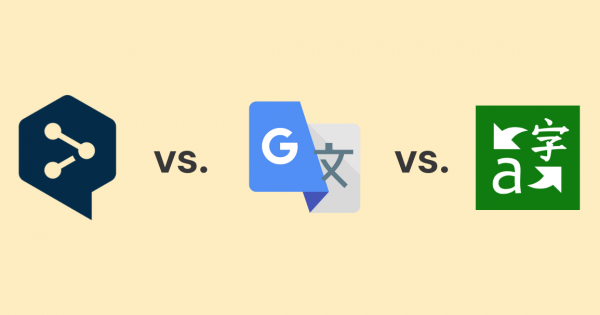
If you’ve ever translated anything online, you’ve probably used DeepL or Google Translate. Maybe you like DeepL for its more natural-sounding sentences, or you’ve relied on Google Translate’s huge language list to get you through.
And you might be thinking – why are we even talking about this in the age of AI? After all, AI can write an essay, draft an email, even spin up a marketing campaign in seconds. But when it comes to translation, dedicated tools like DeepL and Google Translate still matter more than ever. That’s because general AI models can be awesome one moment and drive you crazy the next – hallucinating, inventing facts, mistranslating key terms, or losing context halfway through a paragraph. For anything beyond a casual message, accuracy, consistency, and domain-specific features are non-negotiable.
Some users are already noticing DeepL’s quality dipping in certain languages, while Google Translate has been quietly improving and expanding. The question now isn’t just which is better, DeepL or Google Translate? – it’s which can adapt fastest in an AI-driven world where the margin for error is shrinking.
Actually, that’s why the debate isn’t just DeepL vs Google Translate anymore. Microsoft Translator – part of the Microsoft ecosystem, with strong Office and Teams integration – has become a serious contender in the mix, especially for business users.
So in this guide, we’ll break down DeepL vs Google Translate vs Microsoft Translator in 2025, looking at where each excels, where each falls short, and how to choose the right one for your needs. And if none of them fully fits the bill, we’ll also show you an alternative worth considering.
Don’t Feel Like Reading? Here’s a TL;DR
DeepL → Best for supported European/major Asian languages, with glossaries and tone control – but no translation memory, so consistency and cost savings are limited.
Google Translate → Best for coverage (249+ languages), offline packs, and quick, on-the-go translation – though often more literal in complex text.
Microsoft Translator → Best for Microsoft 365 integration, with a generous free tier (2M characters/month), half Google’s API pricing, and seamless use inside Office and Teams. Accuracy is decent but can stumble on idioms.
If you’re looking for something better than any of them, Taia combines AI + human review, 65 file formats, glossaries, translation memory, and team & project management – all in one platform.
See how Taia compares to DeepL
Accuracy & Translation Quality: Which Is Better, DeepL, Google Translate, or Microsoft Translator?
When you’re comparing translation tools, what you really want to know is simple: which one actually gives better translations? The answer is: it depends. Hardly satisfying, I know. But that’s the reality. It depends on your language pair, your content type, and how polished you need the final text to be.
DeepL earned its reputation by producing more natural, human-like sentences in many European languages. It’s been particularly good at keeping tone and idioms, making it a strong choice for business documents, marketing copy, and anything customer-facing. Its glossary feature is helpful for keeping key terms consistent, but there’s a catch – it doesn’t have translation memory. That means it won’t automatically reuse your previously approved translations across projects, so phrasing and terminology can drift over time.
An Intento benchmark found DeepL was the top-performing engine in 65% of language pairs tested, especially European ones, and outshined Google in accuracy comparisons. Similarly, a professional evaluation revealed DeepL produced fewer translation errors – about 10 issues vs Google’s 25 – and required significantly less editing time.
But don’t assume the legend will live forever: users on Reddit have raised red flags. One translator noted, “It feels kinda worse than 2–3 years ago… EN→JP is horrendous,” and mentioned DeepL often omits large chunks of text. Another shared, “There isn’t a huge difference… Google was slightly better overall in my test. It was more precise, while DeepL sometimes changed the meaning.”
Google Translate, on the other hand, has been steadily improving under the hood. Thanks to its vast language coverage and huge training datasets, it performs solidly in the most common pairs (English↔Spanish, English↔French, English↔Chinese) and is now noticeably better at context handling than it was a few years ago. Still, in complex sentences or creative text, it can revert to overly literal translations that lose nuance, at best, and end up in a translation fail compilation at worst. But like DeepL, it lacks built-in translation memory, so if you retranslate similar content, you’ll get new results each time – not always matching earlier work.
Microsoft Translator sits somewhere between the two. It generally delivers output on par with Google in straightforward business text, but struggles with idioms, colloquial phrases, and stylistic consistency. Where it shines, however, is in real-time speech and conversation translation – a feature that can outperform both DeepL and Google, especially inside Microsoft Teams.
For written translations, though, it’s less nuanced than DeepL and less broad than Google, meaning results can feel clunky without post-editing. And like the others, it lacks true translation memory, so recurring content isn’t reused consistently – something that adds cost and editing time in the long run.
Why does this matter? In professional workflows, translation memory is a big deal for both accuracy and cost efficiency. It ensures consistent language across projects and reduces costs for repeat phrases or sentences. Without it, you’re starting from scratch every time, which can lead to inconsistencies in style and terminology – and in the case of paid APIs, paying again to retranslate the same content.
A Few Real-World Observations:
-
Idioms & nuance → DeepL still tends to handle figurative language better in supported languages, especially with the formal/informal toggle. Google can miss the subtlety. Microsoft Translator struggles most here – idioms often get translated literally, which can distort meaning.
-
Specialized terms → DeepL’s glossary is great for locking in product names or industry-specific vocabulary, if only for 5 entries. Google offers this too, but only in its paid API. Microsoft’s Custom Translator allows domain-specific terminology, but it requires setup and isn’t a full translation memory system.
-
Less common languages → This is where Google wins. If your project involves Swahili, Hindi, or Icelandic, DeepL might not even be an option. Microsoft covers ~100 languages – more than DeepL but still far fewer than Google.
-
Consistency → All three tools can struggle across long documents, but DeepL generally keeps style more uniform in supported languages.
Bottom line: If you’re working in a language pair DeepL supports and quality is your top priority, it’s often the safer bet – but it’ll still need thorough human review. If you need wider coverage or work heavily with niche languages, Google Translate is the more reliable all-rounder. If you’re already in the Microsoft ecosystem or need affordable API access, Microsoft Translator offers strong integration and value, but its written accuracy lags behind the other two.
Language Coverage - Breadth vs. Focus
One of the clearest differences between DeepL and Google Translate is the number of languages they can handle.
Google Translate is the undisputed heavyweight here, with support for over 249 languages and dialects as of 2025. That means you can go from Icelandic to Indonesian, or Swahili to Serbian, without switching tools. One study on medical translation found Google Translate holds up pretty well with European languages, but tends to stumble more with Asian ones. But here’s the thing: DeepL doesn’t even cover most of those languages, so in that sense, Google “wins” by simply being there.
DeepL, on the other hand, supports just 36 languages as of now, with a strong focus on European pairs and select Asian and Middle Eastern ones like Japanese, Korean, Vietnamese, Chinese, Arabic, and Hebrew. The upside? That smaller scope means it can dedicate more resources to each language, which is part of why its translations often sound more natural where it does operate. The downside? If you need Thai or Hindi… you’re out of luck.
Microsoft Translator sits right in between. It supports around 100 languages, including many not covered by DeepL, making it far more versatile than the newcomer but still falling well short of Google’s massive coverage. Microsoft has steadily added new languages and dialect variations in the last two years, and while its breadth won’t match Google anytime soon, it offers a more affordable path for businesses that don’t need the full 249+.
Bottom line: For sheer reach, Google Translate is the go-to. DeepL’s narrower set allows for higher quality in supported languages, while Microsoft Translator gives you a middle ground – broader than DeepL, cheaper than Google, but not as comprehensive.
Supported Formats & Integrations
Of course, you’re not choosing between translation tools just because of how they handle sentences – you also need to know what formats you can feed them and where they fit in your workflow.
DeepL supports document translation for Word (.docx), PowerPoint (.pptx), and PDFs (up to 5MB) on the free plan. Upgrade to Pro and you unlock Excel (.xlsx), HTML, XLIFF, and better formatting preservation – handy if you work in marketing, localization, or legal where layout matters. It also offers plugins for Microsoft Office, browser extensions, CAT tool connectors like Trados and memoQ, a desktop app with hotkey translation, and an API for integrating into your own systems.
Google Translate takes a slightly different approach. You can upload Word, Excel, PowerPoint, and PDF files (up to 10MB) directly on the web interface, though formatting isn’t always perfect. It also shines in quick, non-document workflows: translating entire web pages via URL, integrating directly into Chrome, and offering system-level translation on Android. For developers, the Google Cloud Translation API is one of the most scalable in the industry, with support for glossaries, batch document translation, and even custom model training through AutoML.
Microsoft Translator slots into workflows differently still. Its biggest strength is integration with Microsoft Office 365 and Teams – you can translate text, documents, and live chats without leaving the apps many businesses already use daily. The Azure API also supports file formats like DOCX, PPTX, and TXT, though with fewer “out of the box” plugins compared to Google. Microsoft’s Custom Translator lets enterprises build domain-specific models, but it requires setup and isn’t as plug-and-play as Google’s AutoML.
Bottom line: If your work revolves around structured documents and you need external CAT tool integrations, DeepL feels more polished. Google Translate is more flexible for quick, everyday use and large-scale developer integrations. Microsoft Translator is strongest for businesses already in the Microsoft ecosystem, where its Office and Teams integrations make it feel less like an add-on and more like a native feature.
And if you care about editable output, Taia has the edge: instead of locking your translations into static PDFs, it converts them into Word documents you can actually adjust, reuse, and feed into translation memory for long-term consistency and cost savings.
Privacy, Security & Data Handling
For casual users, privacy might not be top of mind when comparing these tools. But for businesses translating contracts, customer data, or anything sensitive, it’s often the biggest deciding factor.
DeepL
- Fully GDPR-compliant.
- On the free no-account plan, translations may be temporarily stored and could be used to improve the service.
- For accounts and Pro plans, translations are encrypted in transit, not stored, and never used for training – making it suitable for confidential material.
- Offers role-based access control and API use under stricter privacy terms.
Google Translate
- Free web and app versions fall under Google’s general privacy policy – meaning data could be logged or analyzed for service improvements.
- The Google Cloud Translation API, however, offers strict privacy: no data is stored or used for training, and requests are encrypted.
- ISO 27001 certified and compliant with multiple data protection frameworks, but like DeepL, ultimate security depends on which plan you use.
Microsoft Translator
- Part of Azure Cognitive Services, so it inherits Microsoft’s enterprise-grade compliance (ISO, SOC, HIPAA, and GDPR).
- API usage: requests are encrypted and not used for training models.
- Free consumer app is less strict, similar to Google’s, but business customers benefit from Azure’s strong security guarantees.
Bottom line: For business-critical content, you’ll want to use the paid tiers of any of these services to ensure privacy. DeepL Pro and both Google/Microsoft APIs offer enterprise-level security. Microsoft Translator has an edge for organizations already standardized on Azure, since compliance and security management can be centralized.
Pricing & Value for Money
When comparing DeepL vs. Google Translate, cost can swing the decision – especially if you’re translating at scale.
DeepL
- Free plan: Limited to ~1,500 characters per request, only 1 document translation, and 1 glossary with up to 5 entries.
- Pro plans (billed monthly):
- Individual: $8.74 (~300k characters/month, 3 file translations)
- Team: $28.74 (~1M characters/user/month, 20 file translations)
- Business: $57.49 (Unlimited characters, 100 file translations)
- All Pro plans include GDPR-compliant privacy and glossary features.
- Enterprise pricing available for high-volume needs.
Google Translate
- Free web/app: Essentially unlimited usage for individuals, with per-request character limit of ~5,000 characters.
- Google Cloud Translation API: Pay-as-you-go model (~$20 per million characters), first 500k characters/month free.
- API pricing scales smoothly – better suited for variable or very high-volume usage.
- No flat consumer subscription, so ongoing heavy use may be cheaper than DeepL for some businesses.
- Custom models are very costly at a minimum of about $300 for the training, plus sourcing and pruning the training data.
Microsoft Translator
- Free API tier: Up to 2M characters/month, far more generous than Google.
- Paid API: from $10 per million characters (half Google’s price).
- Scales easily within Azure environment.
- Strongest value if you’re translating large volumes of text, especially inside enterprise workflows already running on Microsoft.
The Translation Memory Factor
None of the three include a true translation memory system. That means:
- You’ll retranslate and repay for identical text segments.
- Style and terminology may shift between projects.
- Editing costs increase, since you can’t rely on consistent reuse.
In professional workflows, translation memory dramatically reduces costs for recurring content like product descriptions, support articles, or legal text. Without it, even affordable APIs like Microsoft’s can become pricier over time.
Bottom line: DeepL is affordable for mid-volume projects, Google Translate works best for flexible pay-as-you-go, and Microsoft Translator wins for pure cost efficiency. But without TM, all three can become more expensive than they seem once repeat content piles up – which is why many businesses turn to Taia, a fourth alternative that combines AI translation with translation memory and human review for long-term cost savings and consistency.
Real-World Use Cases
Sometimes the easiest way to decide between DeepL, Google Translate, and Microsoft Translator is to picture the situations you’d actually use them in.
1. Business Document Translation
DeepL’s glossary and formatting preservation make it useful for translating contracts, marketing campaigns, or internal communications – as long as your languages are supported. Google Translate covers more languages, but formatting can break, and idioms often get lost. Microsoft Translator integrates neatly with Word, PowerPoint, and Outlook, which is handy if you’re already in the Microsoft ecosystem.
Still, remember all three are machine translation only – publish-ready content usually needs human review. This is where all-in-one tools like Taia come in handy, since they combine an online text and file translator with one-click quotes for professional translation, letting you move from draft to publish-ready without switching platforms.
2. Travel and On-the-Go Translation
Google Translate dominates here with its camera mode, live conversation features, and offline language packs. DeepL’s mobile app is sleek but lacks offline functionality. Microsoft Translator also offers offline packs and conversation translation, and it supports multilingual group chats – making it particularly useful for travel groups or business meetings on the go.
3. Multilingual Customer Support
If you need to cover dozens of languages at once, Google’s breadth makes it the best stopgap. DeepL is better if your support markets are concentrated in Europe and tone consistency matters. Microsoft Translator fits in well for organizations already using Teams or Outlook, where live chat translation can keep conversations flowing without leaving the app.
4. API-Driven Workflows
Google Cloud Translation API is highly flexible, offering glossaries, batch translation, and custom models. DeepL’s API is popular in the translation industry but less customizable. Microsoft Translator’s API wins on cost, with a generous free tier (2M characters/month) and lower pricing ($10 per million). That makes it attractive for developers and enterprises with high-volume needs – though customization is still more limited than Google’s.
5. Hybrid Translation = AI + Humans Working in Unison
DeepL, Google, and Microsoft are all strong machine translation tools, but none will give you publish-ready output without editing. Unless you have an in-house team of reviewers, you’ll need another step to clean up the text. Platforms like Taia integrate that missing piece – combining AI translation with translation memory, glossaries, and one-click professional review to get from draft to publishable faster.
Final Verdict: Which Is the Right Translation Tool for You?
Go with DeepL if your languages are supported and you want features like glossaries, formality control, and stronger document formatting.
The trade-off: heavy restrictions on how many characters you can translate, how many files you can upload, and how many glossary entries you can store – plus no translation memory for long-term cost savings.
Go with Google Translate if you need maximum coverage, offline access, or on-the-go tools like camera and voice translation.
The trade-off: translations can be overly literal, and you get less control over tone and terminology unless you move to the paid API.
Go with Microsoft Translator if affordability and integration matter most. The API gives you 2M free characters a month and costs half of Google’s rate after that. It also works seamlessly inside Word, PowerPoint, Outlook, and Teams, making it ideal for Microsoft-heavy organizations.
The trade-off: accuracy lags behind DeepL and Google, especially with idioms and colloquial language, and plugin support is limited.
If You’re Comparing These Three, You’re Probably Looking for Something Better Than All of Them.
That’s where Taia comes in – combining instant AI document translation with professional human review for accuracy, plus support for 65+ file formats, glossaries, translation memory, and team & project management. Everything happens in one place, so you can go from first draft to publish-ready without juggling multiple tools.
Try Taia now without any costs, and see the difference for yourself.
Frequently Asked Questions
Is DeepL more accurate than Google Translate?
DeepL generally produces more natural-sounding translations for European language pairs, with better handling of tone, idioms, and context. Studies show DeepL had 10 translation errors vs Google’s 25 in professional evaluations. However, recent user feedback suggests DeepL’s quality may be declining in certain language pairs (especially Japanese). Google Translate has steadily improved and now handles context better than in previous years. For business-critical content, both require human review.
Which is better for business translation: DeepL or Google Translate?
For business translation, the answer depends on your needs: DeepL is better if you work primarily with European languages, need glossary support for brand terms, and want more natural output. Google Translate is better if you need broad language coverage (249+ languages), API flexibility, or integration with Chrome/Android. However, neither offers Translation Memory, meaning you’ll retranslate identical content across projects. For professional business workflows, consider Taia’s Translation Management System which combines both features.
Which has better privacy - DeepL or Google Translate?
Both DeepL and Google Translate offer enterprise-grade privacy on paid tiers. DeepL Pro encrypts translations in transit, doesn’t store data, and never uses content for training – making it GDPR-compliant and suitable for confidential material. Google’s free version may log data, but the Google Cloud Translation API offers strict privacy with no data storage or training use, plus ISO 27001 certification. For business translation, always use paid tiers of either service to ensure data protection.
Can I use DeepL or Google Translate offline?
Google Translate offers offline language packs for mobile devices, perfect for travel or low-connectivity situations. DeepL does NOT currently support offline translation – it requires an internet connection for all translations. Microsoft Translator also offers offline packs on mobile apps. For businesses needing offline translation capabilities, Google Translate or Microsoft Translator are the only options among these three tools.
Does DeepL learn from my corrections?
No, DeepL does not learn from your corrections or build a Translation Memory from your previous work. Each translation is processed independently, which means you may get different results when translating similar content. This is a significant limitation for businesses with recurring content. Professional translation platforms like Taia include Translation Memory that learns from every approved translation, ensuring consistency and reducing costs over time.
What’s the best alternative to DeepL and Google Translate for files?
Taia’s Translation Management System is specifically designed for file translation, supporting 65+ formats (Word, Excel, PowerPoint, PDF, InDesign, HTML, JSON, and more). Unlike DeepL and Google, Taia combines AI translation with Translation Memory, custom glossaries, and professional human review – all in one platform. You upload files and download them fully translated with preserved formatting, while building your TM for future cost savings and consistency.
Is there a translator like DeepL but with more languages?
If you want DeepL-style quality with broader language support, Taia offers AI-powered translation for 189 languages with Translation Memory and glossary support across all pairs. Unlike DeepL (36 languages) or Google Translate (249 languages with inconsistent quality), Taia combines neural machine translation with human expertise, ensuring both coverage and accuracy. The platform also includes features DeepL lacks: unlimited Translation Memory, team collaboration, and professional review options.
Can Taia replace both DeepL and Google Translate?
Yes. Taia combines the best features of both while addressing their limitations: (1) AI translation for 189 languages with quality comparable to DeepL, (2) 65+ file formats like Google’s API but with better formatting preservation, (3) Translation Memory (which neither offers) for consistency and cost savings, (4) Custom glossaries for brand terminology, and (5) One-click professional review for publish-ready quality. Instead of juggling multiple tools, Taia provides end-to-end translation workflow management.
Why is DeepL better than Google Translate for some languages?
DeepL focuses resources on 36 languages (primarily European and select Asian ones), allowing for more refined training data and better context understanding in those pairs. It excels at preserving tone, handling idioms, and producing natural-sounding output for languages like German, French, Spanish, and Italian. Google Translate spreads resources across 249 languages, resulting in more literal translations for complex content. However, for business localization, both require human review to ensure cultural adaptation and brand consistency.
Do DeepL or Google Translate have translation memory?
No, neither DeepL nor Google Translate includes Translation Memory (TM). This is a major limitation for businesses: without TM, you retranslate identical segments across projects, pay repeatedly for the same content, and risk terminology inconsistencies. Professional Translation Management Systems like Taia store every approved translation, automatically reuse matching segments, and offer discounted pricing for fuzzy matches – reducing costs by 30-60% on recurring content while ensuring perfect consistency.
Which is more accurate, Google Translate or Microsoft Translator?
Google Translate generally produces more accurate translations than Microsoft Translator, especially for complex sentences, idioms, and creative content. Google benefits from larger training datasets and better context handling. Microsoft Translator performs adequately for straightforward business text but struggles with figurative language and often produces literal translations that miss nuance. For professional translation quality, both require human post-editing. Microsoft’s advantage is integration (Office 365, Teams) and pricing, not accuracy.
Is Microsoft Translator reliable?
Microsoft Translator is reliable for basic business communication, internal documents, and real-time conversation translation (especially in Teams). However, it’s the least accurate of the three tools compared here for written content, particularly with idioms and colloquial expressions. Users have reported “invented words” in edge cases and inconsistent quality across language pairs. For customer-facing content or marketing materials, Microsoft Translator requires significant human editing to reach publishable quality.
What are the disadvantages/limitations of Microsoft Translator?
Microsoft Translator’s main limitations: (1) Lower accuracy than DeepL and Google for complex content, (2) Poor idiom handling with frequent literal translations, (3) Limited customization compared to Google’s API, (4) No Translation Memory for consistency across projects, (5) Smaller plugin ecosystem than competitors, and (6) Weaker formatting preservation for document translation. While it offers strong Microsoft 365 integration and competitive pricing, businesses serious about localization quality typically need additional tools.
What is Microsoft Translator Text API pricing?
Microsoft Translator Text API offers: (1) Free tier: 2M characters/month (far more generous than Google’s 500k), (2) Paid tier: $10 per million characters (half of Google’s $20 rate), and (3) Custom Translator: additional costs for domain-specific models. This makes it the most cost-effective API among the three. However, without Translation Memory, recurring content gets retranslated at full price. For long-term savings, consider Taia’s API which includes TM and reduces costs on repeated segments.

Project Manager & Content Writer
Eva is a project manager and occasional content writer who has honed her skills in marketing localization since 2019. Like most millennials, she's a Potterhead. She loves traveling and collecting bookmarks, used books, and vinyl.