Why Taia’s AI Translator?
Taia’s AI Translator is designed with you in mind. You might not be a professional translator, but you need to translate content regularly. Whether you’re part of an in-house team, a marketing pro, a legal expert, or a student working on multilingual projects, Taia’s AI Translator can supercharge your translation process.
Perfect for:
- In-house localization teams translating product documentation
- Marketing professionals localizing campaigns and content
- Legal teams handling internal contracts and agreements
- Students and researchers working on multilingual projects
- Content creators managing multilingual websites
- Small businesses expanding into new markets
Unlike hiring professional translators for every project or struggling with basic machine translation, Taia’s AI Translator gives you AI-powered speed with human control—translate 3x faster, edit in a professional CAT (Computer-Assisted Translation) tool, and maintain complete quality control.
What Can Taia’s AI Translator Do for You?
1. Translate 3x Faster
The standout feature is speed. With AI-powered pre-translation, you can get your content translated up to three times faster than doing it manually. The platform:
- Pre-translates entire documents using enterprise-grade AI models
- Leverages Translation Memory from previous projects (30-60% cost savings)
- Segments content automatically for easy sentence-by-sentence editing
- Maintains formatting and tags throughout the process
Time is money, right? What takes hours manually takes minutes with Taia’s AI Translator.
2. Simple Subscription
We’re all about making your life easier:
- Free trial: 2000 words (no credit card required)
- Affordable monthly subscriptions starting at low per-word rates
- No setup fees or hidden costs
- Cancel anytime (no long-term contracts)
Try it out, and when you’re convinced (which won’t take long), choose from our flexible subscription options tailored to your volume needs.
3. Seamless Project Creation
Creating a new project is a breeze—just like setting up any other Taia project:
Step 1: Select source and target languages (189 languages supported)
Step 2: Upload your files (65+ file formats including Word, Excel, PowerPoint, InDesign, HTML, JSON, and more)
Step 3: Specify subject matter (general, legal, technical, marketing, etc.)
Step 4: Click “Create Project”
That’s it. Easy peasy. The platform handles all technical complexities behind the scenes.
4. Pre-Translated Content
The magic starts here. Taia segments and pre-translates your content using advanced AI models. But that’s not all—it also learns from your previous projects via Translation Memory.
How it works:
- AI translates all content segment-by-segment
- Translation Memory matches are automatically applied (100% matches are free or deeply discounted)
- Platform highlights fuzzy matches (75-99% similarity) for quick review
- Your glossary terms are automatically applied (consistent terminology)
It’s like having a language-savvy assistant that remembers everything you’ve translated before and applies it instantly.
5. Effortless Editing
You’re in control. Review and edit translations segment by segment in the built-in CAT tool interface:
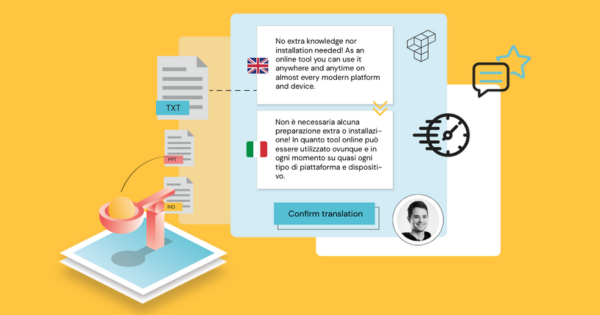
- Side-by-side view: Source text on left, target translation on right
- Segment-by-segment editing: Jump to any sentence or paragraph instantly
- Real-time suggestions: Platform shows Translation Memory matches and glossary terms as you edit
- Formatting preservation: Tags and formatting visible inline (you can’t break them)
- Quality checks: Built-in spell check, consistency checks, tag validation
Correct machine translations, ensure proper formatting, and stay consistent with the original text. Your content, your way.
6. Tag Integrity
Don’t worry about formatting mishaps. Taia’s AI Translator preserves your file’s formatting by placing tags exactly as they appear in the original text:
- Bold, italic, underline preserved
- Links and URLs maintained
- Variables and placeholders protected (e.g.,
{user_name},%s) - Line breaks and spacing intact
Your final file will mirror the original, down to the last detail—no manual reformatting required.
7. No Copy-Paste Hassles
Bid farewell to manual copy-pasting between different tools:
- Upload once, download translated file (no copying between Word, Google Translate, CAT tools)
- Automatic file export in original format (Word stays Word, Excel stays Excel)
- Translation Memory builds automatically (no manual database management)
Taia handles all the technical details, giving you more time for content quality instead of file wrangling.
Getting Started with Taia’s AI Translator
Ready to unleash the power of AI-assisted translation? Here’s how:
Step 1: Start a subscription
Begin by clicking on the AI Translator button in the main navigation or visit translate.taia.io. Don’t worry—we offer a free trial of up to 2000 words so you can take Taia’s AI Translator for a spin risk-free.
Step 2: Create your project
Setting up a new project is a breeze:
- Select your source and target languages (189 language pairs)
- Upload your files (Word, PDF, Excel, PowerPoint, HTML, JSON, XML, and 60+ more formats)
- Specify subject matter (helps AI choose appropriate terminology)
Just like you would for any Taia project—simple and intuitive.
Step 3: Pre-translated content
Taia works its magic:
- Segments your content (sentence-by-sentence or paragraph-by-paragraph)
- Pre-translates using enterprise AI models
- Applies Translation Memory from your previous projects for added precision
- Matches glossary terms automatically
Step 4: Review and edit
Now it’s your turn:
- Review and edit segments in the built-in CAT tool
- Ensure accuracy and proper formatting
- Validate tag integrity (platform prevents breaking formatting)
- Approve completed segments
Step 5: Download translated file
Once you’re satisfied:
- Click “Download Translated File”
- Receive file in original format (formatting intact)
- Translation Memory automatically updated for future projects
With Taia’s AI Translator, you’re not just translating—you’re translating smarter and faster. It’s like having a translation assistant at your side, helping you breeze through projects with ease.
Watch Our Video Tutorial
[Video tutorial coming soon]
For step-by-step guidance, check out our Help Center for detailed documentation, or book a demo with our team for personalized onboarding.
Ready to Unlock the Full Potential of Taia’s AI Translator?
Try it today and experience faster, more efficient translations.
Try Taia’s AI Translator Free (2000 words, no credit card required)
Benefits you’ll experience immediately:
✅ 3x faster translation compared to manual workflows
✅ 30-60% cost savings from Translation Memory leverage
✅ Professional CAT tool interface for quality editing
✅ 65+ file formats supported (Word, Excel, PowerPoint, InDesign, HTML, JSON, and more)
✅ 189 languages at your fingertips
✅ Automatic formatting preservation (no reformatting headaches)
✅ Built-in glossary and Translation Memory (consistency across all projects)
Frequently Asked Questions
What is Taia’s AI Translator and how does it differ from Google Translate or DeepL?
Taia’s AI Translator is a professional self-service translation platform combining AI-powered pre-translation with a built-in CAT (Computer-Assisted Translation) tool for editing and quality control. Key differences from Google Translate or DeepL: Enterprise file format support - Taia handles 65+ file types (Word, Excel, PowerPoint, InDesign, HTML, XML, JSON, etc.) with automatic formatting preservation. Google Translate and DeepL handle plain text or basic file uploads but often break formatting, require copy-pasting, and can’t handle complex documents. Translation Memory integration - Every translation builds your Translation Memory automatically. Future translations of similar content are 30-60% cheaper because the platform reuses previous translations (100% matches are free or deeply discounted). Google Translate and DeepL have no memory—you pay full price every time, even for repeated content. Glossary management - Upload company-specific terminology in glossaries, and Taia automatically applies approved terms across all translations. Ensures brand consistency (product names, technical terms, legal phrases translated identically every time). Google Translate and DeepL offer some custom glossary features but no enterprise-grade term management or automatic application. Built-in CAT tool - Taia includes a professional editing interface for reviewing and correcting AI translations segment-by-segment. Side-by-side source/target view, real-time Translation Memory suggestions, tag protection (can’t break formatting), quality checks (spell check, consistency validation). Google Translate and DeepL provide translated output only—no editing interface, manual copy-paste required for corrections. Workflow integration - Taia integrates into translation workflows with project management, team collaboration, and delivery tracking. Upload file → AI pre-translates → Edit in CAT tool → Download final file (formatting intact). Google Translate/DeepL are standalone tools—no workflow, project tracking, or team features. Security and compliance - Taia is GDPR-compliant with enterprise data security (encrypted storage, access controls, data processing agreements). Google Translate stores translations for model training (privacy concerns for confidential content). DeepL offers privacy-focused translation but lacks full workflow tooling. When to use each: Google Translate/DeepL: Quick translations for understanding content (emails, news articles), Personal use or non-confidential content, Plain text without complex formatting. Taia’s AI Translator: Business translation workflows (marketing, documentation, legal, product content), Files with complex formatting (Word docs, PowerPoint, InDesign, HTML), Repeated content (build Translation Memory for cost savings over time), Team collaboration and project management, Confidential or proprietary content requiring data security. Bottom line: Google Translate and DeepL are consumer AI translation tools (fast but limited). Taia’s AI Translator is an enterprise translation platform—AI pre-translation + professional editing tools + Translation Memory + workflow management in one system. Try Taia’s AI Translator free to experience the difference!
How does Translation Memory work in Taia’s AI Translator and how much can I save?
Translation Memory (TM) is your secret weapon for cost savings and consistency—and it’s built into Taia’s AI Translator automatically: What is Translation Memory? A database of all your previous translations, stored segment-by-segment (sentence or paragraph level). When you translate new content, Taia automatically searches your Translation Memory for matches. If it finds exact or similar matches, it reuses them instead of re-translating from scratch. Result: Faster translations, lower costs, perfect consistency. How Translation Memory saves you money: 100% matches (exact) - Sentence appears exactly as previously translated (no changes), Cost: Free or 10-20% of full rate (depending on your plan), Example: Product description “Ships within 24 hours” translated before → reused automatically at no cost. 75-99% fuzzy matches (similar) - Sentence similar to previous translation with minor differences, Taia pre-fills previous translation, you edit the small changes (takes seconds vs. minutes), Cost: 30-60% discount off full rate, Example: “Ships within 24 hours” previously translated, new text “Ships within 48 hours” → 95% match, just edit “24” to “48” (30% discount). New segments (0-74% match) - No similar translation found in Translation Memory, AI translates from scratch, you edit as needed, Cost: Full translation rate, These segments then added to Translation Memory for future reuse. Real-world savings examples: Example 1: Monthly blog posts (recurring topics) - Month 1: Translate 2000-word blog post about “email marketing tips” → Full cost: $100 → Builds TM with 2000 words, Month 2: Translate 2000-word blog post about “email marketing strategies” → 40% of content matches previous post (common phrases, standard intro/conclusion) → Savings: $40 (only pay $60), Month 3+: Each subsequent blog reuses more TM → Average savings: 30-50% per post. Example 2: SaaS product documentation - Version 1.0 documentation: 50,000 words → Full cost: $2500 → Builds comprehensive TM, Version 1.1 update: 55,000 words (added 5000 new words, rest unchanged) → 90% match rate (50,000 words reused from TM) → Cost: $500 (for 5000 new words) instead of $2750 → Savings: $2250 (82% reduction). Example 3: Marketing website localization - Initial website: 10,000 words in 5 languages → Cost per language: $500 → Total: $2500 → Builds TM for each language pair, Monthly website updates: 500 new words + 9500 unchanged → Per language: $25 (new words only) → Monthly cost: $125 (vs. $2500 initial) → Ongoing savings: 95%. How Translation Memory builds over time: Month 1-3: Building your Translation Memory database → Savings: 10-20% (limited matches) → Every translation adds to TM. Month 4-6: TM database growing → Savings: 30-40% (recurring phrases, standard terminology) → Consistency improving. Month 7-12: Mature Translation Memory → Savings: 50-70% on recurring content types (documentation, marketing, product descriptions) → High consistency across all content. Year 2+: Comprehensive TM covering most content → Savings: 60-80% on updates and recurring content → Near-perfect terminology consistency. Best practices to maximize TM savings: Consistency in source content - Use same phrases for same concepts (“Click here” not “Click here” / “Press here” / “Select here”), Template common sections (intros, CTAs, disclaimers), Standardize terminology in source content (before translation). Organize by content type - Separate TMs for different content: Product documentation TM, Marketing TM, Legal TM, Support TM → Prevents cross-contamination (legal terms don’t appear in marketing content). Upload previous translations - Already have translations? Import them into Taia’s Translation Memory (we support TMX file format), Instantly leverage past work (even from other tools). Regular translation cadence - Translate regularly (weekly/monthly) rather than sporadically → TM builds faster, savings compound sooner. Translation Memory is included free - No additional cost for Translation Memory (included in all Taia plans), Unlimited storage (no limits on TM size), Shared across your team (everyone benefits from same TM). ROI timeline: Typical customer sees ROI within 3-6 months (TM savings offset initial translation investment), Year 2 onwards: 50-70% cost reduction on average compared to translating without TM. With Taia’s AI Translator and integrated Translation Memory, you’re not just translating—you’re building a strategic asset that makes every future translation faster, cheaper, and more consistent. Start building your Translation Memory free!
What file formats does Taia’s AI Translator support?
Taia supports 65+ file formats with automatic formatting preservation—no manual reformatting required: Document formats: Microsoft Office: Word (.doc, .docx), Excel (.xls, .xlsx), PowerPoint (.ppt, .pptx) - Formatting, tables, charts, comments preserved, Track changes supported (translate new content only). OpenOffice/LibreOffice: Writer (.odt), Calc (.ods), Impress (.odp). PDF: Searchable PDFs (text-based, not scanned images), Formatting preserved where possible (complex PDFs may need review). Rich Text Format: .rtf files with formatting intact. Design and publishing formats: Adobe InDesign: .idml (InDesign Markup Language), Translate text while preserving layout, images, styles, Perfect for brochures, catalogs, magazines. Adobe FrameMaker: .mif files for technical documentation. QuarkXPress: .xtg (XPress Tagged) format. Web and software localization formats: HTML/Web: .html, .htm files (tags and structure preserved), .xml (generic XML with customizable rules), .json (software localization, string files). Software strings: .properties (Java properties files), .resx (.NET resource files), .po/.pot (Gettext for PHP, Python, etc.), .strings (iOS/macOS app localization), .yml/.yaml (Ruby on Rails, configuration files). Content Management Systems (CMS): WordPress .xml exports, Drupal content exports, Custom CMS formats (contact us for support). Subtitle formats: .srt (SubRip subtitle files), .vtt (WebVTT video subtitles), .sub (MicroDVD subtitle format), .sbv (YouTube subtitle format). Other specialized formats: CAT tool formats: .tmx (Translation Memory eXchange - import/export Translation Memory), .xliff/.xlf (XLIFF localization interchange format), .sdlxliff (SDL Trados files), .mqxliff (MemoQ files). Plain text: .txt (plain text files), .csv (comma-separated values - terminology, data). Markdown: .md, .markdown (documentation, README files). LaTeX: .tex files for academic/scientific documents. ePub: .epub ebooks (experimental support, contact support). How formatting preservation works: Tags and variables protected - Platform identifies formatting tags (bold, italic, links, variables) and treats them as non-translatable units, Visible in CAT tool interface (e.g., <b>text</b> or {variable}), You can’t accidentally delete or break tags (protection built-in). Structure maintained - Headings, lists, tables, bullet points preserved exactly, Spacing, line breaks, paragraph structure intact. Download in original format - Upload Word → edit translation → download Word (formatting identical), Upload InDesign → translate → download InDesign (layout preserved). What if my format isn’t listed? Contact our support team: We regularly add new format support based on customer requests, Custom format conversion available (we can preprocess files before translation), Workaround options (e.g., convert to supported format like .docx). File format best practices: For best results, use native formats: Word (.docx) instead of PDF (text extraction from PDF can be imperfect), InDesign (.idml) instead of flattened PDF (layout editable), JSON/XML instead of plain text (structure preserved). Avoid scanned PDFs (images): Taia translates text, not images, Scanned PDFs require OCR (Optical Character Recognition) first, Use online OCR tool or contact support for assistance. Test with free trial: Upload a sample file in your format (2000-word free trial), Verify formatting preservation before committing to larger projects. With 65+ file formats supported, Taia’s AI Translator handles virtually any translation workflow—from marketing brochures to software localization to technical documentation. Try your file format free today!
Can I use Taia’s AI Translator for confidential or sensitive content?
Yes—Taia is built for enterprise data security and GDPR compliance, making it safe for confidential business content: Data security measures: Encryption in transit and at rest - All file uploads encrypted via HTTPS/TLS (same security as online banking), Files stored encrypted on secure cloud infrastructure (AES-256 encryption), Only you and assigned translators/reviewers can access your content. Access controls - Role-based permissions (control who in your team sees what projects), Two-factor authentication (2FA) available for enhanced account security, Audit logs track who accessed files and when. GDPR compliance - Taia is fully GDPR-compliant (EU data protection regulations), Data processing agreements available for enterprise customers, Data residency options (store data in EU or other regions upon request). No data reuse for AI training - Your content is NOT used to train public AI models (unlike Google Translate), Translations stay private to your account (not shared or reused), Delete projects and all data anytime (right to erasure). Secure infrastructure - Hosted on enterprise-grade cloud infrastructure (AWS/Azure with SOC 2 compliance), Regular security audits and penetration testing, Automatic security updates and patch management. What about AI translation models? AI models are stateless - Taia uses enterprise API access to AI providers (not public consumer tools), Your content processed in real-time and not stored by AI providers (stateless API calls), Compliant with data protection regulations (GDPR, CCPA). Professional translation option for extra sensitivity - For highly confidential content (legal contracts, financial documents, proprietary R&D), Choose Professional Translation instead of AI Translator, Vetted human translators sign NDAs (Non-Disclosure Agreements), No AI processing (human-only translation for maximum confidentiality). Industry compliance: Legal and contracts - Law firms and legal departments use Taia for contract translation (NDAs, agreements, litigation documents), ISO 17100 certified translation process for professional services. Healthcare and medical - HIPAA-compliant workflows available for healthcare customers, Medical device documentation, clinical trial translations, patient materials. Financial services - Banking, insurance, investment firms use Taia for financial document translation, Secure handling of financial reports, compliance documents, customer agreements. Intellectual property - Product R&D documentation, patent translations, proprietary technical specs, Trade secret protection with NDA-bound translators. Best practices for confidential content: Use professional translation for highest sensitivity - AI Translator is secure, but Professional Translation adds human vetting (translators sign NDAs, background checked), Best for: legal contracts, financial reports, medical records, trade secrets. Enable two-factor authentication - Prevent unauthorized account access, Required for enterprise plans with sensitive content. Limit team access - Only grant project access to team members who need it, Use role-based permissions (Viewer vs. Full Member vs. Manager). Delete projects after completion - Download translated files and delete projects from platform if no longer needed, Permanent deletion removes all copies from servers. Review data processing agreement - Enterprise customers: request Data Processing Agreement (DPA) from Taia, Specifies data handling, security measures, compliance obligations. Comparison: Taia vs. public translation tools | Security Feature | Taia AI Translator | Google Translate / Public Tools | |------------------|--------------------|---------------------------------| | Encryption in transit | ✅ HTTPS/TLS | ✅ HTTPS | | Encryption at rest | ✅ AES-256 | ❌ Not guaranteed | | GDPR compliance | ✅ Full compliance + DPA | ⚠️ Limited | | Data reuse for AI training | ❌ Never | ✅ Often yes | | Access controls | ✅ Role-based + 2FA | ❌ Basic account login | | NDA-bound translators | ✅ Professional tier | ❌ N/A | | Audit logs | ✅ Yes | ❌ No | | Data residency options | ✅ Available | ❌ No control | Bottom line: Taia’s AI Translator is enterprise-ready for confidential business content (secure, GDPR-compliant, private). For maximum sensitivity (legal, medical, financial, IP), use Professional Translation with NDA-bound human translators. Start translating securely with Taia’s AI Translator today!
How do I get started with Taia’s AI Translator?
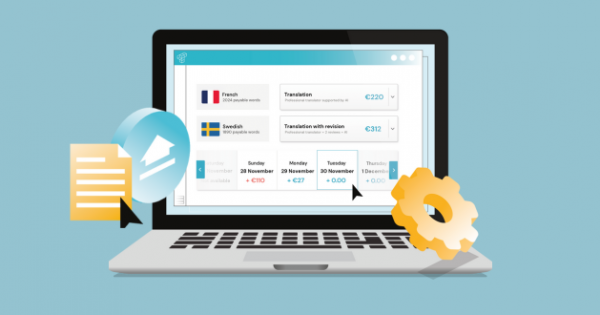
Getting started takes less than 5 minutes—no credit card required for the free trial: Step-by-step setup: Step 1: Sign up for free (1 minute) - Visit translate.taia.io/register, Enter email and create password, Verify email address (check inbox for verification link), Done—you’re in! Step 2: Create your first project (2 minutes) - Click “Create New Project” on dashboard, Select languages: Source language (e.g., English), Target language(s) (e.g., Spanish, French, German—translate into multiple languages at once), Upload your file: Drag and drop or click “Upload File”, Supports 65+ formats (Word, Excel, PowerPoint, PDF, HTML, JSON, etc.), Files up to 100MB (for larger files, contact support). Choose translation service: “AI Translator” for self-service editing (fastest, most affordable), OR “Professional Translation” for human linguists (highest quality, no editing needed). Specify subject matter (optional but recommended): General, Legal, Technical, Marketing, Medical, Financial → Helps AI choose appropriate terminology. Step 3: Review instant quote (30 seconds) - Platform analyzes your file (word count, Translation Memory matches, formatting), Shows instant quote: Total words, New words (no TM match) - full rate, TM matches (100%, 75-99%) - discounted or free, Total cost and estimated delivery time. Review and confirm (your free trial covers first 2000 words). Step 4: AI pre-translation (automatic, 1-10 minutes) - Taia automatically: Segments content (sentence-by-sentence), Pre-translates using AI, Applies Translation Memory matches, Applies glossary terms (if uploaded). You receive email notification when pre-translation complete. Step 5: Edit translation in CAT tool (your time, varies) - Open project in Taia’s built-in CAT tool editor, Side-by-side view: Source text left, target translation right, Edit segment-by-segment: Click any segment to edit translation, Autocomplete suggestions from Translation Memory, Real-time spell check and quality validation, Tags protected (can’t accidentally break formatting). Mark segments “Confirmed” as you finish editing (green checkmark). Step 6: Download translated file (instant) - Once all segments confirmed, click “Download Translated File”, File downloads in original format (Word stays Word, Excel stays Excel, formatting intact), Translation Memory automatically updated (future projects reuse these translations). Step 7: Manage projects (ongoing) - Dashboard shows all projects (past and current), Track progress (% completed, delivery deadline), Download files anytime, Delete old projects, View Translation Memory statistics (words saved, cost savings). What you get with free trial: 2000 words free translation - No credit card required upfront, Full platform access (AI Translator, CAT tool, Translation Memory, glossaries), Translate real projects (not a demo or sandbox). After trial: Subscribe to continue (monthly or annual plans, starting at low per-word rates), Pay-as-you-go option (only pay for projects you create, no monthly minimums), Volume discounts (higher volume = lower per-word cost). Tips for first project success: Start with familiar content - Choose a document you know well (easier to review AI translation quality), 1000-2000 words ideal for first project (manageable, not overwhelming). Upload a glossary (if you have one) - Even a simple glossary of key terms (product names, company-specific jargon) improves AI translation accuracy immediately, Glossary management built into platform. Try AI Translator first, then professional translation - AI Translator great for most content (fast, affordable, you control quality), For critical content (legal, medical, marketing copy), try Professional Translation (human linguists, no editing needed). Use the Help Center - Comprehensive guides, video tutorials, FAQs available in Help Center, Live chat support for questions. Common questions from new users: “Do I need translation experience?” - No! Taia designed for non-translators (marketers, product managers, content creators), AI pre-translation does heavy lifting, you just review and refine. “What if I don’t like the AI translation?” - You’re in full control—edit every word before downloading, OR switch to Professional Translation (human linguists do the work). “Can I translate into multiple languages at once?” - Yes! Select multiple target languages in project setup, Platform creates separate projects for each language pair, Manage all from one dashboard. “What happens after free trial?” - Choose subscription plan or pay-as-you-go (only pay when you create projects), No auto-charge without your approval, Cancel anytime (no penalties). Ready to start? Sign up free and translate your first 2000 words in minutes. No credit card, no risk, just fast and accurate AI-powered translation. Questions? Book a demo with our team for personalized onboarding and best practices tailored to your content!

Localization Experts
The Taia team consists of localization experts, project managers, and technology specialists dedicated to helping businesses communicate effectively across 189 languages.